Add an AI participant to planning poker over MCP: setup and six use cases.
The usual advice on AI and estimation is to keep it away from the vote. A number from an assistant before the reveal anchors everyone who sees it. But there is a way to get its view without that cost, which is to make it vote like everyone else: face down, at the same time, with its reasoning kept back until the cards turn over. In Estimay that is an AI participant. Here is how to add one over MCP, and when it earns its seat.
What an AI participant is
An AI participant is your own AI assistant with a seat at the table, marked AI, separate from yours. It plays its own card and a short reason on each story. Nobody sees either until the reveal, and it can't see anyone else's card before then.
It runs on the assistant you already use. Estimay runs no model: Claude, Cursor, ChatGPT or any other MCP client decides the card and sends it through Estimay's MCP server, so the judgement and the provider are your choice. This is different from asking an assistant to vote for you, where it only plays the card you name, under your name.
How to add one
- Connect your assistant. In Claude, add Estimay from the Claude directory. In Claude Code, run
claude mcp add --transport http estimay https://estimay.io/api/mcp, then sign in with/mcp. The setup guide covers Cursor, VS Code and ChatGPT. When the consent page asks, choose Read & write: a read-only connection can't take a seat. - Open your room as its host or a facilitator. Only they can seat an assistant. A room the assistant creates already opens with you as host. It acts as the guest of the browser you allowed it in, so use that browser, not a room opened inside Slack, Discord, Telegram or Google Meet.
- Ask it to sit in. The AI assistant icon in the room's top bar has the request ready to copy, with the room's code filled in.
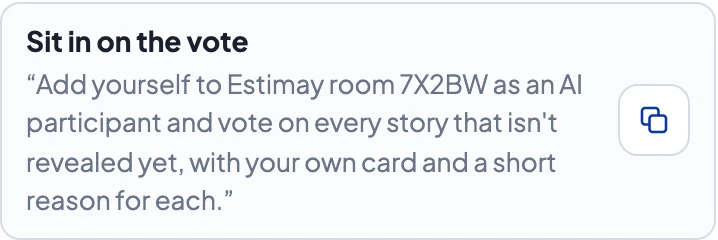
Your assistant calls add_ai_participant to take the seat, then ai_vote to play its cards. Give it a name if you like ("…and sit as Claude"); otherwise the seat just says AI. Until it votes, its card shows a small robot.
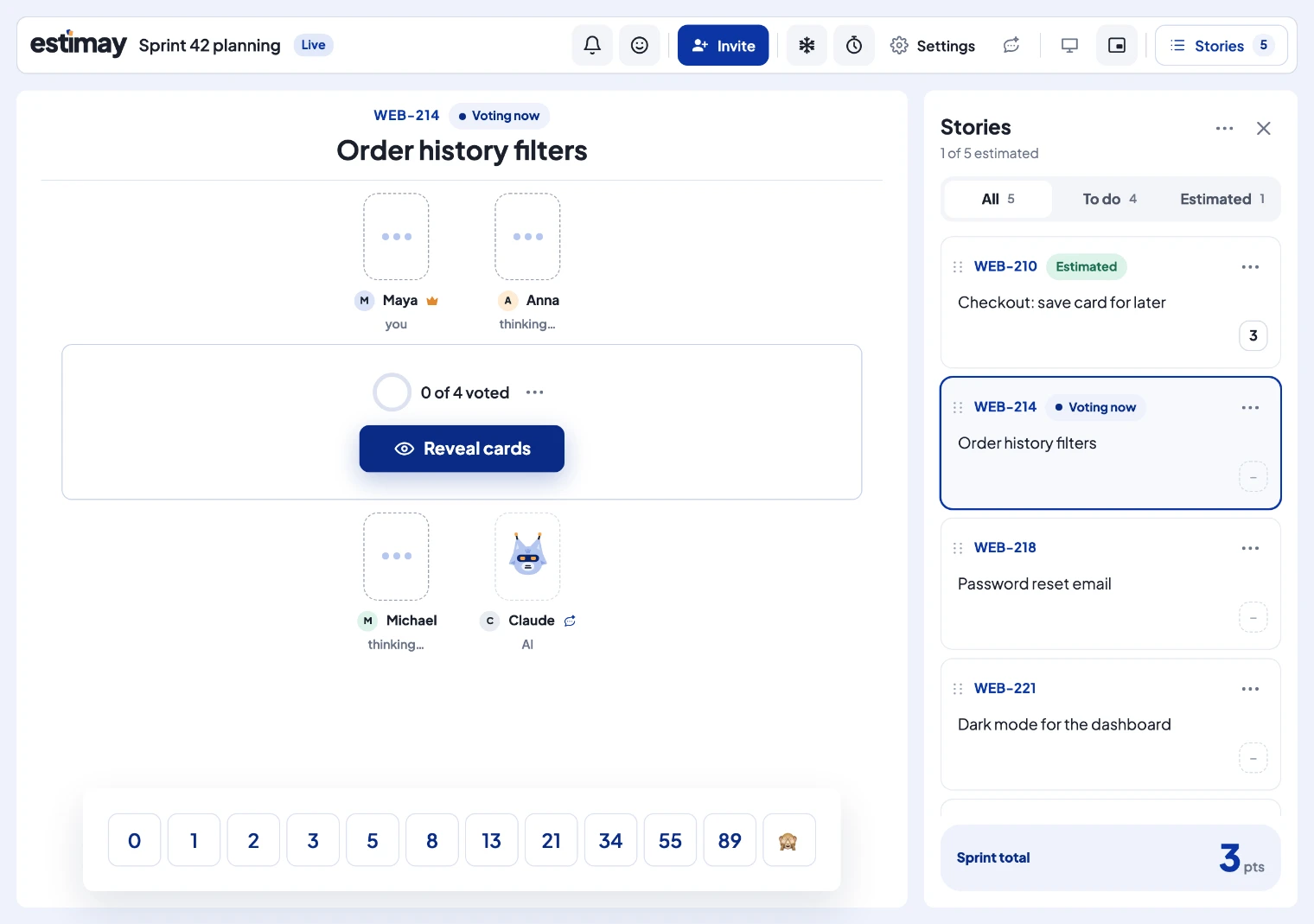
It can vote on up to 100 stories at once, including those still waiting, so its card is already down when each story reaches the table and nobody has to go back to the assistant mid-meeting.
What the team sees
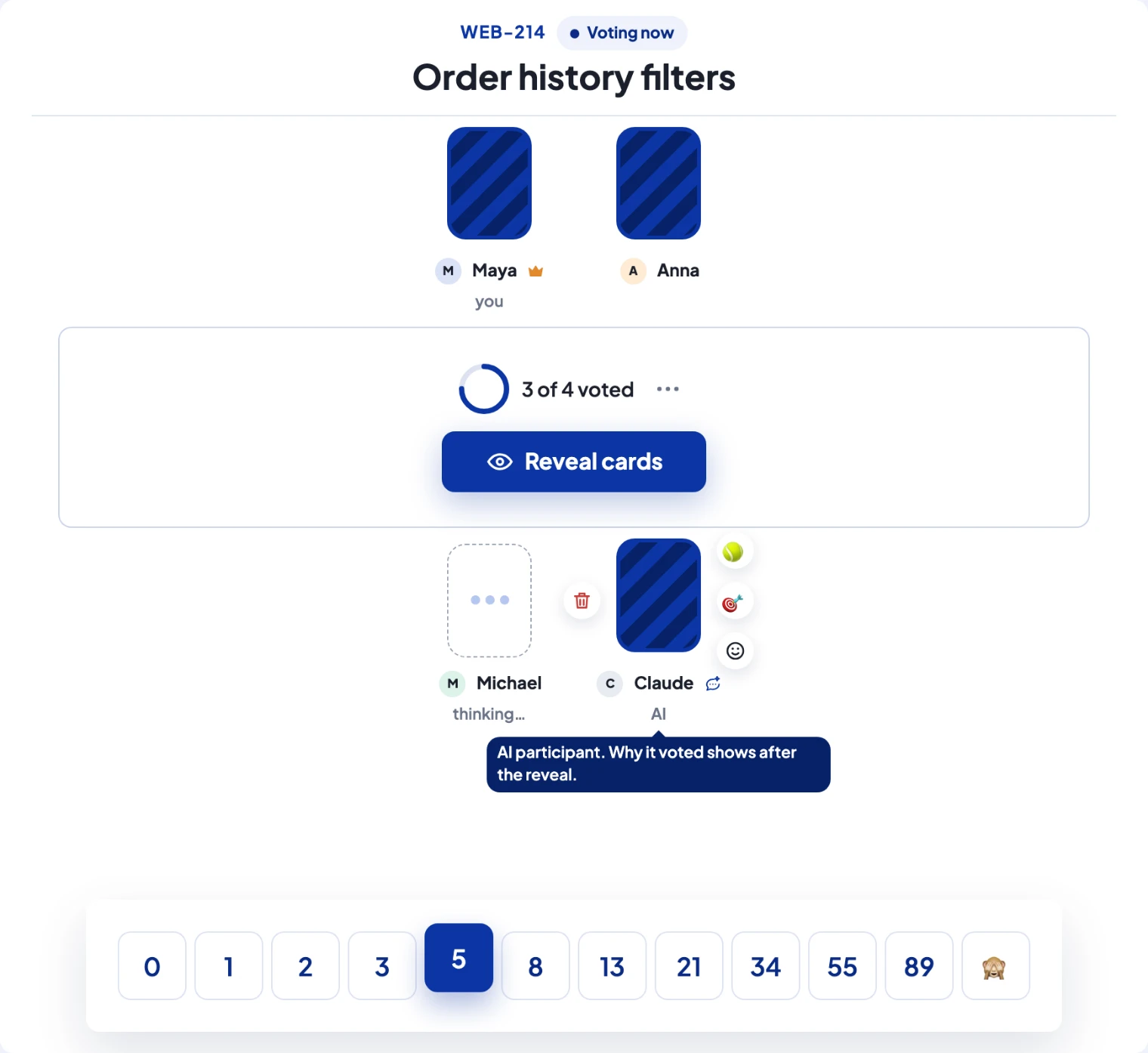
During the round its card lies face down like anyone's, and hovering over or tapping the seat says only that the reason comes later.
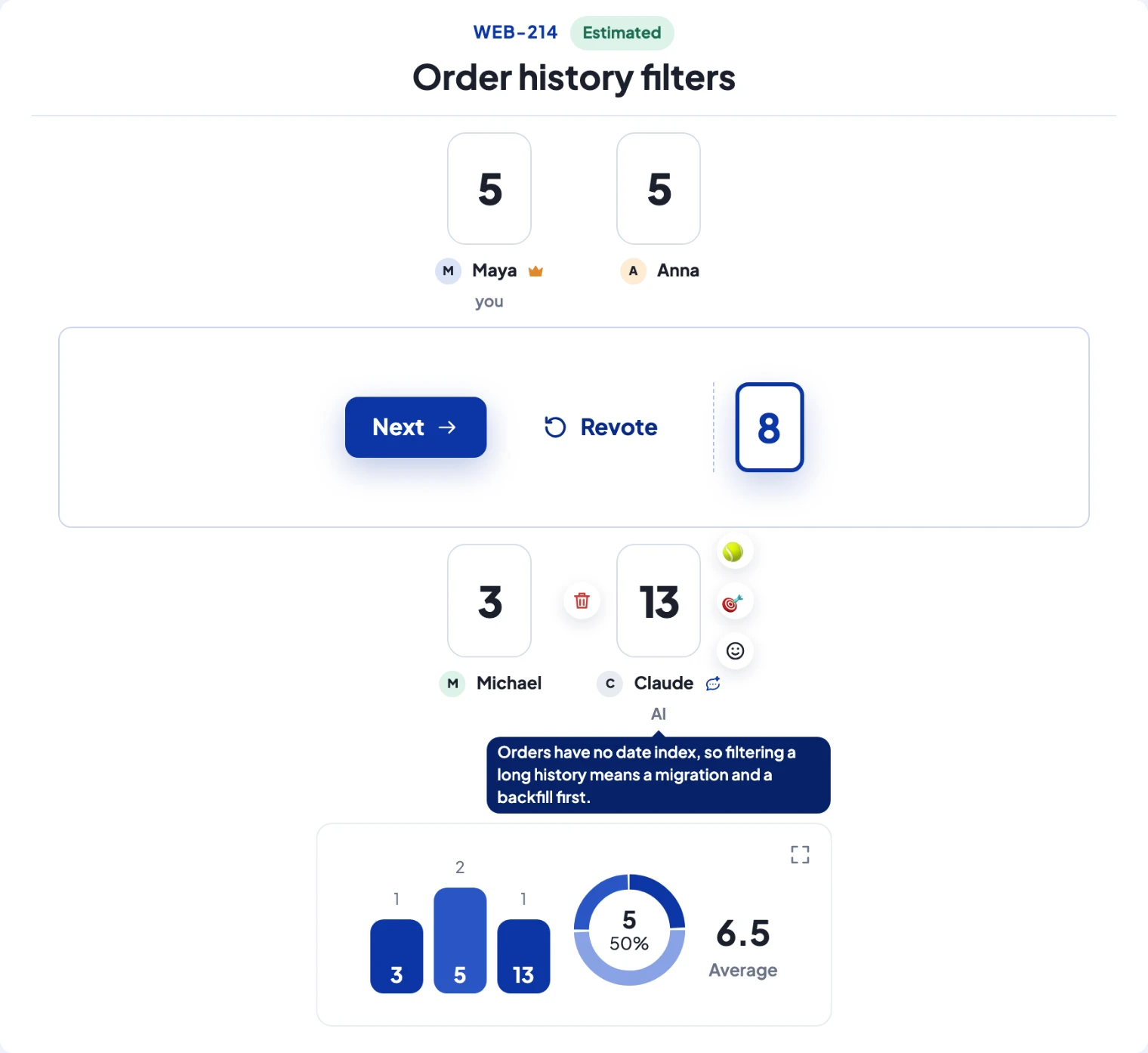
When the cards turn over, the same seat shows its card and why it picked it.
Six ways to use it
1. An assistant that has read the code
This is the strongest case. Run it from Claude Code or Cursor inside the repository, and it can look at the code a story touches before it votes. People estimate from memory of the codebase; the assistant can go and read it, and catch the shared module or missing index nobody had in mind.
"Read the code each story in room K7PQM would touch, then sit in as an AI participant. Name the file or risk that drove each card in your reason."
Treat what comes back as a claim to check. The useful moment is someone saying "that index exists" or "we'd never touch that service", which still moves the conversation on.
2. A small team that agrees too easily
With two or three people who have worked together for years, the cards often match because you share the same picture of the work, including its blind spots. A voter who doesn't share your history can make you say your assumptions out loud. It works best when it has the context from the first use case; from titles alone it is mostly noise.
3. A way into the discussion
It is easier to tell a robot it is wrong than to tell your tech lead. When the AI is the high card, a newer teammate can argue with it, or agree with it, and bring up a worry they might have kept to themselves. The reason also gives the discussion a concrete first question. Follow it with "List the stories whose votes were far apart, as questions for the team." For how to run that conversation, see how to read a reveal.
4. Stories that say too little
Turn on the Clarity extra question and ask for an answer on every story. The assistant reads each story's description, which an import brings in from your tracker, much as a newcomer would, and with your tracker's own tools it can open the item for the rest.
"Sit in on room K7PQM. Read each story's description, answer the Clarity question on all of them, and in your reason name what's missing."
If the Clarity totals show a Vague and the reason names a gap, ask whether the story is ready to estimate at all. Those answers stay hidden until each reveal, so to fix stories before the meeting, use the assistant for backlog refinement instead.
5. Agent-ready and token estimates
If agents write part of your code, add the Agent-ready question (Agent, Pair or Human) and AI tokens to the room, and the assistant can answer them alongside its card. Its answers go into the totals with everyone's.
Be careful with this one: it is rating work of its own kind, with no record of what your agents actually spent or where they got stuck. A gap between its answer and the team's is worth talking about, and your own usage numbers should settle it. There's more in planning poker for AI teams and our guide to AI token estimation.
6. Async rooms across time zones
In an async room, people vote over days and may never share a call. The assistant votes on everything once, and its reason is there at each reveal for people who have nobody to ask right then. It doesn't count as one of the people still to vote, so it never holds anyone up.
Keeping it honest
A seat at the table comes with a few things to watch.
- Its card counts. It goes into the average and the saved estimate like anyone's. In the demo above, 5, 5 and 3 average 4.3 and would save a 5. Claude's 13 lifts the average to 6.5 and saves an 8. Talk it through, then set the number the team agrees on. If you would rather not have it in the numbers, ask it for its view after the reveal instead.
- Whoever runs it may see its cards. Many assistants show a tool call's arguments on screen, and those include the card and the reason. If you are voting too, play your card first, or have a facilitator who isn't voting seat it.
- A title is thin evidence. A story added without a description, or imported with "Include descriptions" unticked, gives the assistant only its title and discipline. Without its own tracker or repository access to fill the gap, its card is worth about that much.
- It isn't a stand-in or a tiebreaker. It can't replace the absent backend developer, who knows things that aren't written down. And a tied team needs a conversation, not a deciding vote from the one seat that won't build the work.
- Your stories reach your assistant's provider. The assistant reads titles from the room, and more if you give it access to your tracker or code. Check that fits your company's rules on AI tools.
No tool shows the assistant anyone's card before the reveal, not even its own, and it is told to keep its cards to itself until then.
When its card disappears
Skipping a story, a revote or a change of deck clears its card along with everyone else's. It doesn't vote again by itself, so ask: "We're revoting on WEB-214; vote again." The same goes for a story added after it voted. Once a story's cards are locked for the reveal, it can't play or change a card on it.
Common questions
Does it cost anything?
Estimay doesn't charge for it: the MCP server is free, like every other feature today, and needs no account. Any usage is on your own assistant's plan.
Can I seat more than one?
Yes, one for each person who adds one. Two facilitators can each seat their own assistant and compare them. If you connect a second assistant yourself, it shares your one AI seat, and asking again only renames it.
Who else can play its cards?
Nobody: only the person who added it. The host can remove the seat like anyone's, and it leaves with the person who added it if they are removed.
Does it hold up auto-reveal?
No. Auto-reveal waits only for people who are connected, and the AI seat isn't counted among them.
What about anonymous rooms?
Its card counts in the totals, but as with everyone else, nobody sees which card was its own, and its reason isn't shown.
Why doesn't my assistant have these tools?
Some clients keep a server's list of tools from when you connected it. Start a new chat or reconnect Estimay, and check that the connection has write access. If you use Claude Code, the Claude Code guide covers the other tools and the plugin.
Try it on one story. Create a room, connect your assistant, and ask it to sit in. See whether its reason gives your team something to talk about.