Docs
Getting started.
Run your first planning poker round in a few minutes, with no sign-up and nothing to install.
1. Create a room
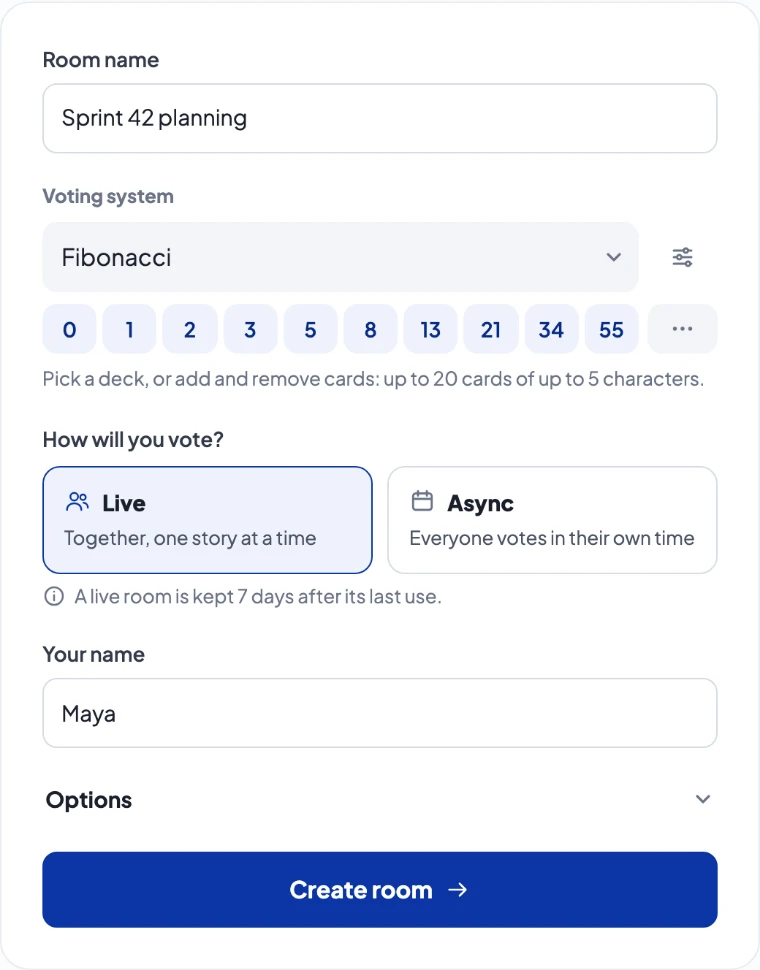
Open the create-room page. Name the room, choose a voting system (Fibonacci is already picked), enter the name your team will see, and press Create room. You're now the room's host.
2. Add your stories
Press Add a story and give it a title, plus a ticket number if it has one. Add description opens a box for the goal and acceptance criteria, which everyone can read under the story's Details. Repeat for each story you want to estimate.
Already have a backlog? The ⋯ menu at the top of the Stories panel imports a CSV file or stories from your tracker, with their descriptions. The guides cover Jira, Linear, Trello, Asana and GitHub.
3. Invite your team
Press Invite in the top bar, then copy the link and send it to your team, or show them the QR code. They open the link, type a name and press Join the table. Nobody needs an account. Anyone who only wants to watch can turn on Join as a spectator first.
Your team can also play inside Telegram, Slack, Discord or Google Meet.
4. Vote
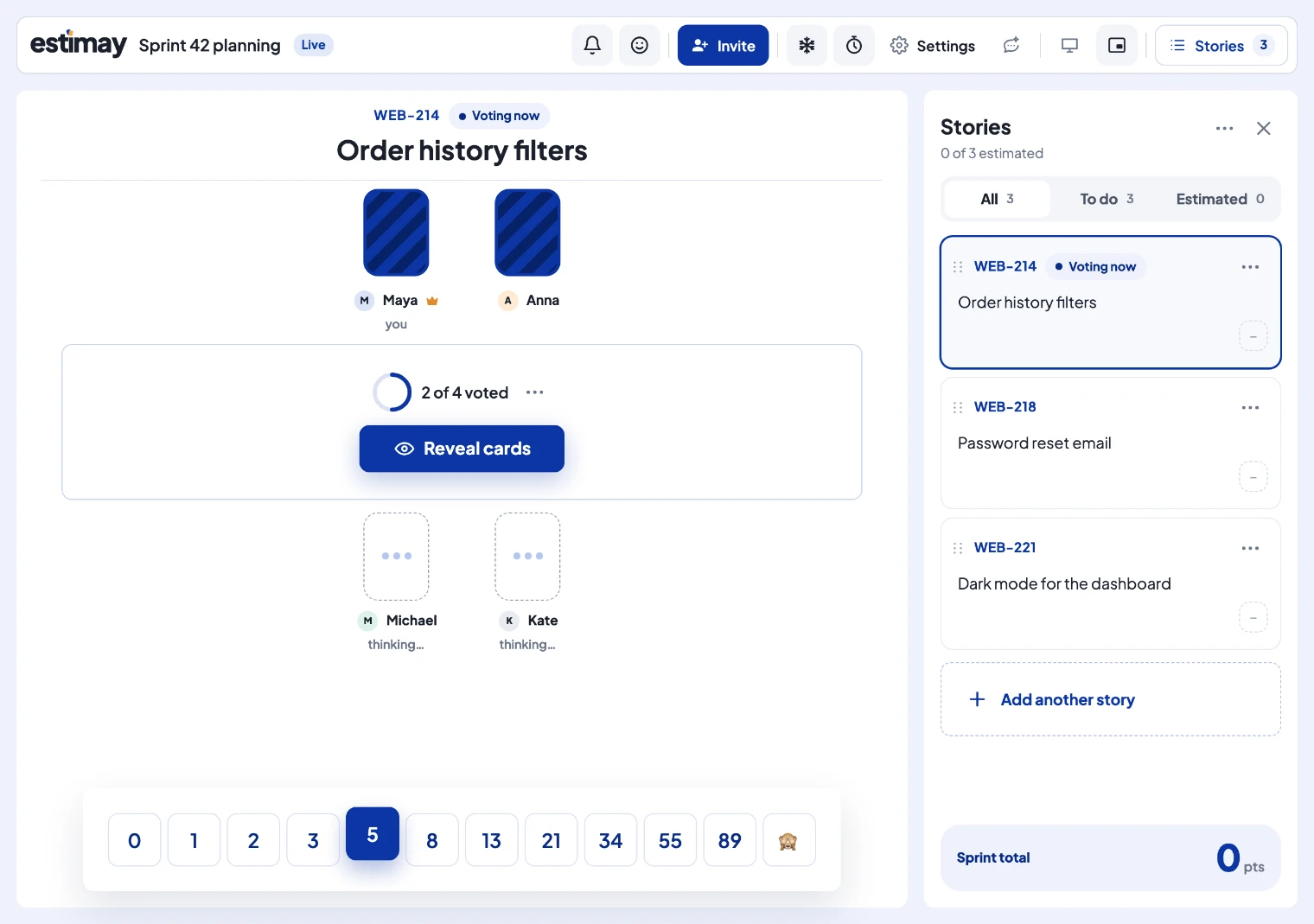
Press Start voting to put the first story on the table. Everyone picks a card from the deck at the bottom of the screen. Cards stay face down, so nobody can see anyone else's until the reveal.
5. Reveal and agree
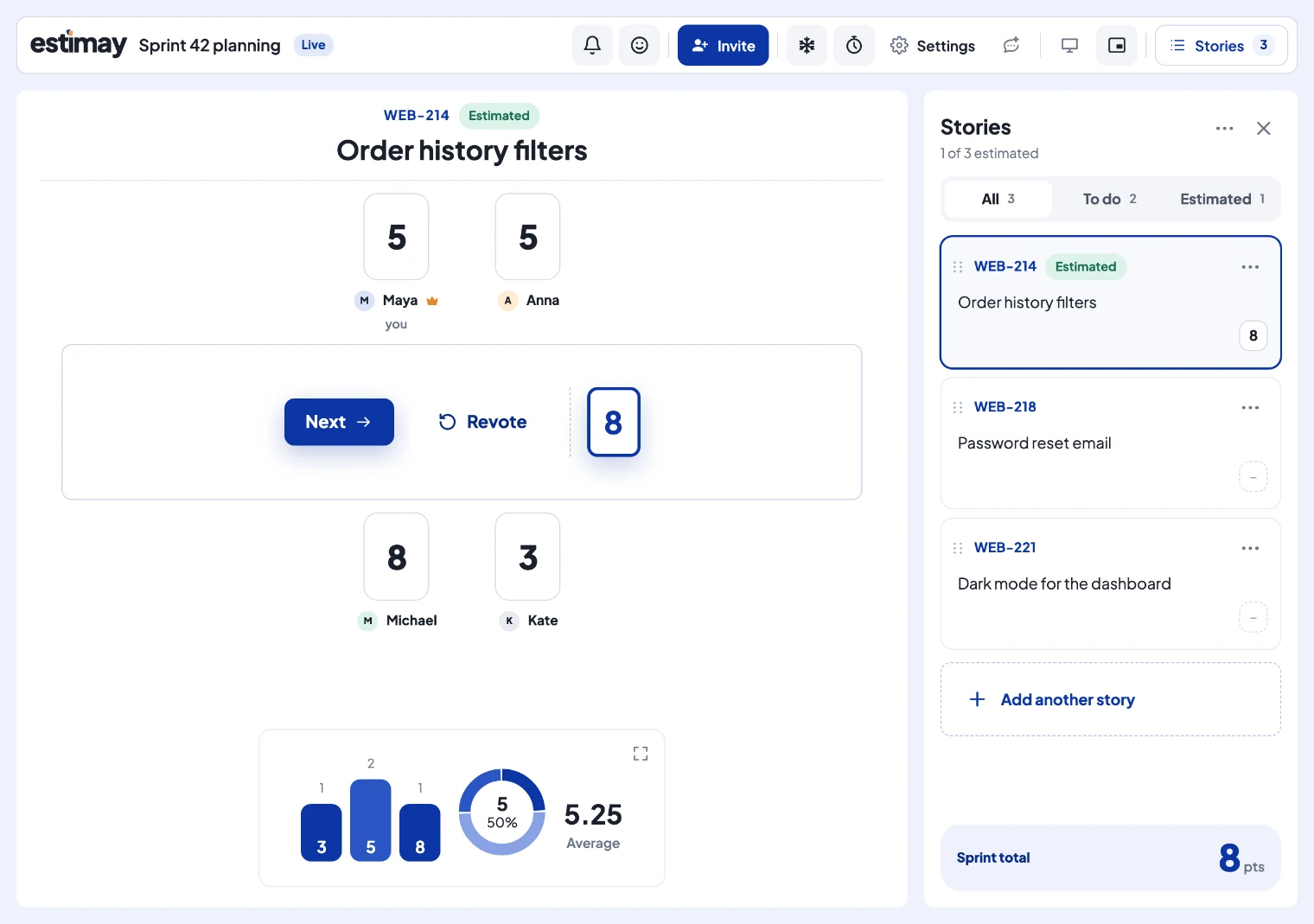
Press Reveal cards. After a short countdown, every card turns over together, with a chart of the votes and their average.
Estimay saves an estimate for you: the smallest card at or above the average. On a scale with no average, such as T-shirt sizes, it's the most-picked card. From there:
- Cards far apart? Talk it through, then press Revote.
- Agreed on another number? Use the pencil beside the estimate to pick it.
- Happy with it? Press Next for the next story.
6. Finish up
When every story has an estimate, the room says All stories estimated and offers Download CSV. For stories from a connected tracker, pick the write estimate option in a story's ⋯ menu, or turn on automatic write-back when you connect.
When you're done, the host can press End and delete room in Settings. Otherwise a live room is deleted 7 days after its last use.
Who can do what
Everyone at the table can vote. Only the host and any facilitators they choose in Settings can add stories, start voting and reveal the cards.
Voting at different times
Choose Async when you create the room. Every story opens for voting as it's added, and people vote in their own time. A story's cards turn over only when the host or a facilitator reveals it. An async room is deleted 30 days after its last use.
Where next
- Guides for your chat app or tracker.
- Features, for everything a room can do.
- AI assistants, to set up rooms from Claude or Cursor.
- FAQ, for short answers to common questions.